

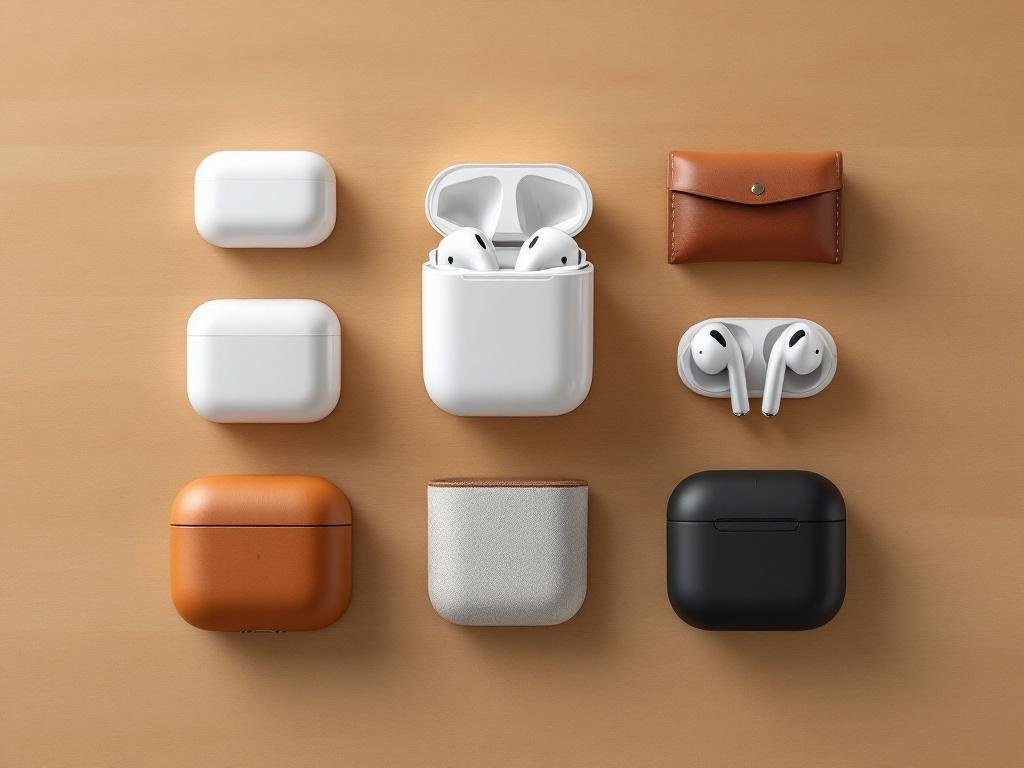
Apple’s AirPods family spans several models from the original AirPods through AirPods 3 and the AirPods Pro line. This guide explores model differences, charging cases, protective accessories and buying recommendations. You’ll get technical comparisons, case and charging options, and practical advice to choose the best AirPods and cases for sound, fit and long-term protection.
How the AirPods Family Evolved
Apple AirPods made their debut in 2016, transforming wireless personal audio by integrating Apple-designed chips, seamless device switching, and a recognizable “stem” design. According to Apple press releases and Wikipedia, these first-gen AirPods were noted for their instant pairing and open-fit, one-size-fits-most form factor. Over the years, Apple’s audio lineup expanded: AirPods Pro arrived in 2019 with Active Noise Cancellation and their signature Polar-style soft silicon ear tips, providing a secure, sealed fit. The AirPods (3rd generation), released in 2021, advanced the original formula with spatial audio and improved battery life, retaining their open-fit design but borrowing shape cues from the Pro line.
Naming can get confusing, as shoppers often use phrases like “AirPod 3 Pro” to refer to different products. For clarity, Apple’s official model names are: AirPods (1st/2nd/3rd generation), AirPods Pro, and AirPods Pro (2nd generation). There is no official “AirPods 3 Pro” or “AirPods Pro 3″—these terms are informal and not supported by Apple. Searchers may also refer to “Apple AirPods 3” or “AirPod Pro 2” in product reviews and case listings.
- AirPods (1st gen, 2016): Wireless, open-fit buds for everyday users; easy pairing.
- AirPods (2nd gen, 2019): Improved connection, support “Hey Siri”; still open-fit.
- AirPods Pro (2019): Sealed fit with silicon tips, ANC, Transparency mode for audiophiles and commuters.
- AirPods (3rd gen, 2021): Spatial audio, sweat/water resistance, more ergonomic open-fit.
- AirPods Pro (2nd gen, 2022): Enhanced ANC, better battery, updated controls, new MagSafe charging.
Form factor notably divides these: AirPods and AirPods 3 are open-fit (rest lightly in the ear canal), ideal for comfort and awareness; AirPods Pro and Pro 2 have a sealed fit (silicon tips), greatly boosting noise isolation and bass response.
- 2016: AirPods launched; effortless pairing, open-fit design.
- 2019: AirPods 2 and AirPods Pro released; Pro introduced silicon tips and ANC.
- 2021: AirPods 3 with spatial audio and improved ergonomics.
- 2022: AirPods Pro 2 added better ANC, battery and charging case features.
Core Technical Differences and What They Mean
-
Chipset (H1 vs H2)
- AirPods, AirPods 3: H1 chip delivers reliable connectivity, low audio latency, supports “Hey Siri”, and enables fast device switching.
- AirPods Pro, AirPods Pro 2: H1 in Pro, upgraded to H2 in Pro 2. H2 gives significant enhancements: richer audio processing, improved Active Noise Cancellation, and reduced battery drain.
If you prioritize noise control and call clarity, focus on H2-equipped models.
-
Active Noise Cancellation (ANC) & Transparency
- AirPods, AirPods 3: No ANC or Transparency mode.
- AirPods Pro, AirPods Pro 2: Industry-leading ANC and Transparency (Pro 2 has doubly effective ANC; more natural transparency).
Crucial for commuters and travelers; AirPods Pro ear tips also enable a better passive seal.
-
Spatial Audio & Codec Support
- AirPods 3, Pro, Pro 2: All support spatial audio with dynamic head tracking; improves movie and gaming immersion.
- Bluetooth 5.0 (AirPods, AirPods Pro), 5.3 (AirPods Pro 2); all support SBC/AAC. No high-res codecs without Apple ecosystem.
-
Battery & Charging Case Features
- AirPods: ~5 hours listening, ~24 hours with case; Lightning case only.
- AirPods 3: 6 hours listening, 30 hours total; case supports MagSafe or wireless charging, Lightning port.
- AirPods Pro/Pro 2: 4.5-6 hours (depend on ANC use), up to 30-36 hours with case; MagSafe wireless (Pro 2: Find My speaker, lanyard loop, Lightning/USB-C for some models).
- Wireless/MagSafe ease top up at work or on-the-move; Find My speakers aid retrieval when lost.
-
Water & Sweat Resistance
- AirPods: None.
- AirPods 3, Pro, Pro 2: IPX4 (both buds and cases for Pro 2) – sweat/rain safe, not submersible.
Vital for gym and outdoor users.
- Model: AirPods | AirPods 3 | AirPods Pro | AirPods Pro 2
- Chip: H1 | H1 | H1 | H2
- ANC: No | No | Yes | Yes (advanced)
- Transparency: No | No | Yes | Yes (improved)
- Spatial Audio: No | Yes | Yes | Yes
- Battery (buds/case): 5/24h | 6/30h | 4.5-5/24h | 6/30-36h
- Fit: Open | Open | Ear tip | Ear tip
- Water Resistance: None | IPX4 | IPX4 | IPX4 (buds+case)
- Charging Case: Lightning | Lightning/MagSafe | Lightning/Wireless/MagSafe | Lightning/USB-C/MagSafe/Find My
- For commute/travel: Prioritize ANC, battery and Find My case
- For workouts: Look for IPX4 buds, secure tip fit
- For calls: Choose Pro models with H2 chip for advanced noise filtering
- Spec differences here shape audio immersion, daily usability and peace of mind.
Choosing and Caring for the Right Case
When deciding between a charging case (such as the official Apple AirPods 3 case, AirPods Pro case, or the newest Apple AirPods Pro 3 charging case) and third-party protective accessories—what most people call an “AirPods case,” “AirPods 3 Pro case,” or “case for AirPods Pro 3″—it’s essential to understand their distinct roles. The Apple charging case is required for pairing, charging, and advanced functions like Find My compatibility and, on recent models, onboard speakers and lanyard loops. Third-party cases are shells or sleeves that add defense against drops, scratches, and dust but enclose the original Apple case; they do not charge or connect with your AirPods directly.
- Material breakdown:
- Silicone: Soft and shock-absorbent. Ideal for accidental drops, but can attract lint.
- Leather: Premium feel, often ages well. Offers moderate protection but may bulk up the case.
- TPU (Thermoplastic Polyurethane): Tough and flexible; better at scratch/impact resistance than silicone.
- Polycarbonate: Rugged plastic with high drop resistance; can be slippery but slim.
- Metal: Maximal scratch/drop protection; may interfere with wireless charging and MagSafe alignment.
- Protection levels: Thicker cases shield better from hard drops but increase bulk. Some cases interfere with the new AirPods Pro speaker holes or Find My features—check for compatibility notes.
- Charging support: Most cases support wireless charging. Metal or overly thick designs might block MagSafe or Qi alignment, reducing convenience.
- Find My & speakers: AirPods Pro 2/3 official charging cases include speakers and precision tracking. Choose a protective case with perfectly aligned speaker/microphone cutouts.
- Accessory attachment: Many “AirPods Pro case” designs offer ring or lanyard anchors for portability; useful for commuters or athletes but may stress the case hinges if overused.
Comprehensive buyer checklist:
- Correct fit: Each AirPods generation (AirPods 3, AirPods Pro, AirPods Pro 2/3) needs a model-specific case.
- Wireless charging & MagSafe compatibility: Look for MagSafe-certified or “wireless charging compatible” labels.
- Find My/speaker compatibility for Pro 2/3: Ensure precise cutouts.
- Ring/lanyard support: Recommended for commuters or gym-goers.
- Dust ingress protection: A must for cyclists or outdoor adventurers.
- Bulk vs protection: Minimalists should opt for ultra-thin shells; frequent travelers may want maximal shock resistance.
- Watch for sticky or loose-fitting lids. Poor fit can hinder auto-connect or wireless performance.
Maintenance tips:
- Clean silicone or TPU shells weekly with mild soap to prevent sweat and grime buildup.
- Avoid harsh chemicals on leather; use a specialized conditioner periodically.
- Check charging ports for lint; use compressed air only—no metal picks.
- Remove the external case monthly to inspect the Apple charging case for hairline cracks.
Accessory picks by user type:
- Commuters: Hard shell with ring and Find My speaker cutouts.
- Athletes: Grippy silicone, sweat-resistant, lanyard attachment.
- Professionals: Slim leather, MagSafe-compatible, elegant colorways.
- Travelers: Rugged TPU/polycarbonate combo, dust covers, reinforced closure.
How to Choose Between AirPods 3 and AirPods Pro
- Casual listening: For streaming music, audiobooks, or light podcasts, AirPods 3 deliver balance at a moderate price. Their open fit and “spatial audio” support mimic higher-end features, but lack active noise cancellation (ANC). Standard AirPods are a solid, budget alternative, but lack the richer sound of the Apple AirPods 3.
- Workouts: AirPods Pro and AirPods Pro 2 win for exercise thanks to their silicone ear tips and IPX4 sweat resistance. Their secure in-ear design keeps them stable, while ANC mutes distracting gym noise. Apple AirPods 3 get close on sound and sweat-resistance, but their fit may be less secure during high-intensity workouts.
- Travel: AirPods Pro 2 shine for travel, pairing world-class ANC with improved battery life and a MagSafe/Find My-ready case. Even noisy airplanes fade away. AirPods 3 are less effective where quiet is crucial, lacking noise cancellation. The AirPods Pro charging case’s (and AirPods Pro 3 charging capabilities) rapid top-up also benefit travelers.
- Professional calls: For work-from-anywhere calls, AirPods Pro and AirPods Pro 2 excel thanks to beamforming mics, ANC, and transparency mode. Voice quality is crisp, and switching between devices is seamless. Budget-focused buyers can use AirPods 3, but busy professionals will hear—and be heard—better on the Pros.
- Step-by-step buyer flow:
- Assess your budget: If you want the best AirPods but at a lower cost, consider Apple AirPods 3.
- Fit testing: If you have sensitive ears or want airtight sound, choose AirPods Pro 2 with customizable tips. Open-fit Apple AirPods 3 suit those preferring less ear-seal.
- Prioritize ANC/transparency: Choose AirPods Pro, AirPods Pro 2, or AirPods Pro 3 for full noise management.
- Charging preferences: If MagSafe or wireless is a must, all newest models offer it. Check if your airpod pro case or airpods pro charging case supports Find My.
- Case protection: The best airpod pro case gives drop protection, supports charging, and is model-specific. Avoid cases that block speakers or interfere with wireless charging.
- FAQ
- What are the main differences between Apple AirPods 3 and AirPods Pro? Apple AirPods 3 have an open design, spatial audio, and strong battery; AirPods Pro offer ANC, transparency, and a more secure fit.
- Do the AirPods Pro 3 charging case and AirPods Pro 2 charging case support MagSafe? Yes, both offer wireless and MagSafe compatibility—check for the magnetic ring.
- I want the best AirPods for calls: which model should I choose? AirPods Pro 2 or AirPods Pro 3 for crisp voice clarity and noise control.
- Which is the best AirPods Pro case in 2025? A rugged, MagSafe-compatible airpod pro case designed for your exact AirPods Pro model is ideal for protection and charging.
Summary: For immersive sound and pro-grade features, choose AirPods Pro/Pro 2; for casual use, AirPods 3 balances value and solid performance.*
Long Term Care Firmware Tips Accessories and Future Proofing
-
Ongoing Maintenance:
- Battery Care: Keep Apple AirPods 3, AirPods Pro, or any AirPods Pro 3 charging case between 20–80% charge. Avoid leaving them drained or fully charged overnight to prolong battery lifespan.
- Firmware Updates: Regularly check for firmware updates by connecting your AirPods (AirPod 3 Pro, AirPods Pro 2, AirPods 3) to your iPhone. Open Bluetooth settings, tap the “i” next to your device, and scroll for firmware details. Updates typically install automatically when your AirPods and case are near your phone and charging.
- Find My App: Enable Find My for your AirPods and any AirPod case. If your AirPods 3, AirPods Pro, or Pro 3 charging case goes missing, use the app to locate them or trigger a sound—even if only the case is lost.
- Safe Cleaning: Gently wipe AirPods, Apple AirPods Pro, and all cases with a lint-free screen-cleaning tool. Avoid using liquids inside ports. For ear tips (especially Apple AirPods Pro 3 and AirPods 3 Pro), remove and clean using mild, damp cloths.
-
Accessory Roadmap:
-
Essential Items:
- Microfiber cloths for cleaning
- Replacement silicone ear tips (for AirPods Pro series)
- Charging stand for MagSafe or wireless charging
-
Recommended Cases by User:
- Best AirPods Pro case: Hybrid models with drop-protection and MagSafe
- Rugged AirPod 3 Pro case: Shockproof and waterproof for travel
- Slim AirPod Pro 2 or AirPods 3 case: Thin, pocketable, and wireless-compatible for urban users
- Warranty/Replacement: Register your AirPods/Pro/Pro 3 for AppleCare+ or reputable third-party protection to cover accidental damage or battery service.
-
Essential Items:
-
Future-Proofing Tips:
- Select the newest generation likely to receive extended support (e.g., Apple AirPods Pro 3 over earlier models).
- Choose cases with MagSafe and Qi compatibility for universal wireless charging in 2025 and beyond.
- Opt for modular/replaceable ear tips (not just Apple’s, but third-party too) for flexibility as usage styles change.
-
Unboxing Checklist:
- Charge devices fully before first use – This protects battery longevity from day one.
- Check for firmware updates – Ensure features and bug fixes are current.
- Register for warranty or AppleCare+ – Early registration safeguards against future issues.
- Pair with Find My – Secure tracking in case AirPods or AirPod cases are misplaced.
- Test fit with all tips and clean prior to first use – Ensures comfort and hygiene.
- Install case and accessory protections – Defend your investment against accidents from day one.
Conclusions
Choosing the right AirPods and case means balancing sound features, fit, battery life and protection. AirPods 3 fit general listeners seeking spatial audio and long battery life, while AirPods Pro models add noise control and a sealed ear-tip fit. The right case (silicone, hard shell or MagSafe-compatible) preserves value and daily use. Prioritize fit, charging style and Find My capabilities for the best long-term experience.