

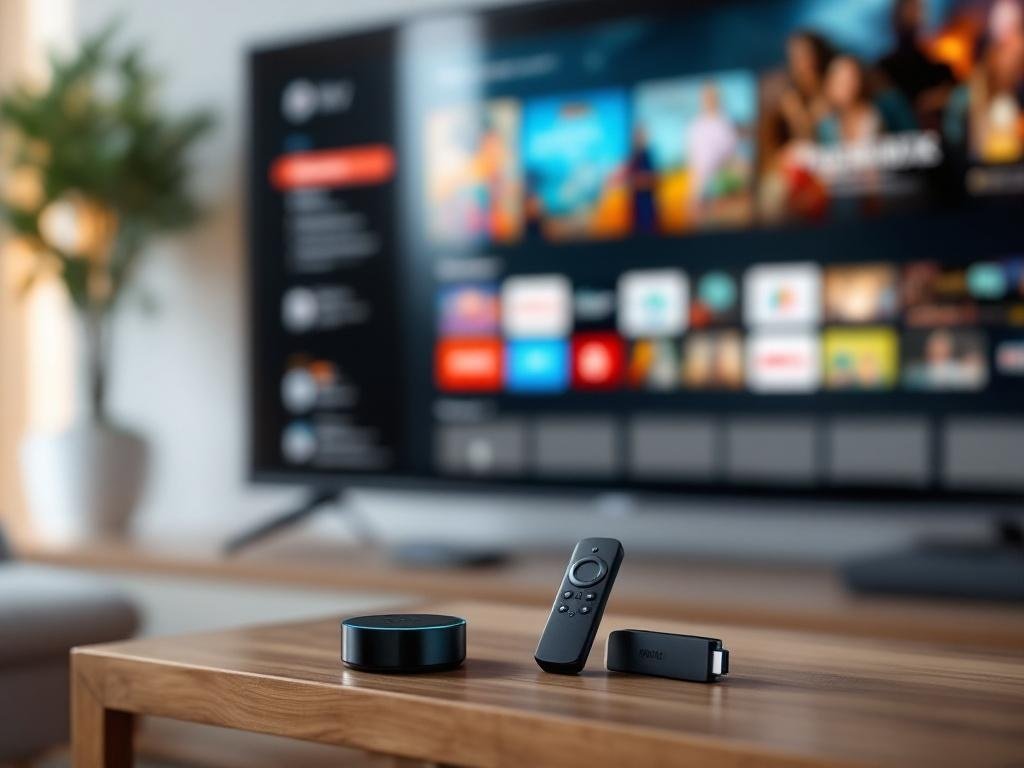
Explore Amazon Fire TV and the Fire TV Stick family, including the Fire Stick 4K, Fire TV Stick 4K, and the newer Fire TV Stick 4K Max. This guide compares models, explains specs and features, and helps you choose the right streamer for performance, smart‑home integration, and budget. Read on for detailed comparisons, setup tips, and buying recommendations.
Understanding the Amazon Fire TV Ecosystem
The **Amazon Fire TV** ecosystem is a diverse platform of streaming devices designed to bring smart entertainment and content access to televisions of all types. Launched in 2014, the original **Amazon Fire TV** set-top box introduced Amazon’s vision of transforming TV viewing through easy access to streaming media, apps, and games, all underpinned by the company’s custom **Fire OS**—an operating system derived from Android that tightly integrates with Amazon services and the Alexa voice assistant.
Over time, the platform expanded to include a range of hardware options catering to different user needs. **Fire TV** now encompasses three main categories of devices:
- Fire TV Media Players (Set-top Boxes): Designed primarily for living room TVs, these robust units like the original Fire TV box (discontinued in the U.S.) offered more powerful hardware and Ethernet connectivity, well-suited for households seeking fast streaming and some light gaming capability.
- Fire TV Sticks: Ultra-compact HDMI dongles that plug directly into a TV’s HDMI port and draw power via USB. The Amazon Fire TV Stick family—such as Fire TV Stick (standard), Fire TV Stick 4K, and Fire TV Stick 4K Max—represent the core lineup for both mainstream and advanced streamers. Perfect for secondary TVs, bedroom setups, and even travel due to their portability. Models differ in video resolution support (up to 4K), wireless speed, processor, and remote options.
- Fire TV Edition Smart TVs and Soundbars: Select smart TVs and soundbars with **Fire OS** built in, eliminating the need for an external device. Ideal for users seeking an all-in-one solution without added accessories.
The powerful glue behind the Fire TV experience is **Fire OS**, enabling direct access to **Prime Video**, a vast array of streaming apps from the Amazon Appstore, and hands-free or remote-invoked **Alexa** voice controls. Integration with **Amazon Prime** content is seamless, as is cross-platform search—helping users find and launch content swiftly with voice or remote input.
Different devices cater to varying scenarios:
- Living room TV: Prefer devices with 4K/HDR for premium viewing.
- Secondary/Bedroom TV: The more affordable standard Fire TV Stick is ideal.
- Travel: Ultra-portable sticks like Fire TV Stick or Fire TV Stick 4K.
- Gaming/Light Microconsole: Historically, some models and older Fire TV boxes could install light Android-based games, although Amazon’s focus has shifted more toward content streaming and Alexa integration.
This tiered approach, powered by **Fire OS**, ensures that whether you’re looking for a value device or a powerful 4K streamer that integrates tightly with your **Amazon account**, there is a Fire TV product designed for your needs.
Breaking Down the Fire TV Stick Models
Breaking down Amazon’s Fire TV Stick lineup can be challenging given overlapping names, generational refreshes, and device revisions. When shopping, it’s important to note that “Fire TV Stick” is Amazon’s official nomenclature, not “Fire Stick,” though both refer to the same product lines. Below is a model-by-model breakdown of the most current models and their key differences (release dates and tech specs verified from Amazon and Wikipedia as of mid-2024).
**Fire TV Stick (standard)**
– Current Gen Release: 3rd generation, September 2020
– CPU: Quad-core 1.7 GHz (MediaTek MT8695D)
– RAM: 1 GB
– Storage: 8 GB
– Max Video: 1080p HDR
– HDR Formats: HDR10, HDR10+, HLG
– Audio: Dolby Atmos via HDMI pass-through
– Remote: Alexa Voice Remote 3rd Gen (with TV controls)
- Pros: Low cost, fast enough for HD streaming, compact
- Cons: No 4K support, least powerful in lineup
**Fire TV Stick 4K**
– Current Gen Release: 2nd generation, September 2023
– CPU: Quad-core 1.7 GHz (MediaTek MT8696)
– RAM: 2 GB
– Storage: 8 GB
– Max Video: 4K Ultra HD
– HDR Formats: HDR10, HDR10+, Dolby Vision, HLG
– Audio: Dolby Atmos
– Remote: Alexa Voice Remote Enhanced
- Pros: Affordable 4K streaming, Dolby Vision, faster than standard Stick
- Cons: Not the fastest navigation or future-proofing
**Fire TV Stick 4K Max**
– Current Gen Release: 2nd generation, September 2023
– CPU: Quad-core 2.0 GHz (Mediatek MT8696T)
– RAM: 2 GB
– Storage: 16 GB
– Max Video: 4K Ultra HD
– HDR Formats: HDR10, HDR10+, Dolby Vision, HLG
– Audio: Dolby Atmos
– Wi-Fi: Wi-Fi 6E support
– Remote: Enhanced Alexa Voice Remote
- Pros: Fastest performance, double the storage, Wi-Fi 6E for smoother streaming, best for smart home integration
- Cons: Higher price, advanced Wi-Fi only useful if router supports it
*Common naming confusion arises with “Amazon Fire Stick,” “Firestick 4K” vs. “Fire TV Stick 4K,” and “Fire TV Stick 4K Max,” but they refer to the above official models. Not all global markets get every model or latest remote iteration. Always check the generation number and supported formats to be sure you’re getting the right version.*
Performance and Connectivity Comparison 4K versus 4K Max
The Fire TV Stick 4K and Fire TV Stick 4K Max may appear similar, but their real-world performance and connectivity set them apart in daily use. Amazon claims the 4K Max’s quad-core 1.8 GHz CPU is about 40% more powerful than the 1.7 GHz processor in the standard Fire TV Stick 4K, and it comes with 2GB of RAM versus 1.5GB—translating to quicker responsiveness and smoother multitasking, particularly noticeable with demanding apps and games. Storage remains 8GB on both.
Their network capabilities differ markedly: the Fire TV Stick 4K Max features Wi‑Fi 6 (802.11ax) readiness, while the Fire TV Stick 4K stays at Wi‑Fi 5 (802.11ac). On future-ready home networks, Wi‑Fi 6 brings both higher throughput and much better performance in crowded environments with many devices, reducing congestion-related buffering for high-bitrate 4K content or cloud gaming.
- CPU: 4K Max: Quad-core 1.8 GHz vs. 4K: Quad-core 1.7 GHz
- RAM: 4K Max: 2GB vs. 4K: 1.5GB
- Storage: Both: 8GB internal
- Wi‑Fi: 4K Max: Wi‑Fi 6 support vs. 4K: Wi‑Fi 5 only
- Codecs: Both handle 4K UHD, HDR10/10+, HLG, Dolby Vision, Dolby Atmos
- Remote: 4K Max adds features like TV controls and voice; both use Alexa Voice Remote with IR and Bluetooth (check for the specific remote version included)
These hardware bumps mean snappier app launches, less stutter when switching profiles or loading complex menus, and stronger performance with game streaming or emulation on the 4K Max. For smart home users, both support live camera feeds and Alexa routines, but the Max’s headroom helps it respond faster in multi-device or automation-heavy setups.
In high-traffic Wi‑Fi conditions (crowded apartments, many IoT devices), expect the 4K Max to maintain streaming quality where the 4K might buffer or reduce bitrate. To test at home, try streaming a 4K HDR title while saturating your network with downloads—watch for less drop-off on the Max if you have a Wi‑Fi 6 router.
Ultimately, the Fire TV Stick 4K Max justifies its premium for users who demand quicker navigation, plan to game, have a busy home network, or want the most future-proof streaming stick.
Setup User Experience and Smart Home Integration
- Plug your Fire TV Stick into an available HDMI port on your TV.
- Choose a power source: for the most reliable performance, connect the USB power cable to the included adapter and a wall outlet. Some users prefer plugging into a TV’s USB port, but this can limit power and cause performance issues or unexpected restarts.
- Switch your TV input to the HDMI port used, and insert batteries into the Fire TV Stick remote.
- Follow on-screen prompts to pair the remote, select your language, and connect to Wi-Fi. Ensure a strong Wi-Fi signal for 4K streaming.
- Sign in with your Amazon account, or create one if needed. This step enables access to apps, subscriptions, and Alexa.
Once setup is complete, the Fire OS home screen greets you with personalized content, app rows, recently watched titles, and device settings. To install streaming apps or games, navigate to the Appstore section and browse or search. Select your desired app and tap “Download”. For subscription services (like Netflix or Disney+), you’ll be prompted to sign in; managing or cancelling subscriptions is always available via “Manage Subscriptions” in Account Settings.
Profile management allows multiple users—each with their own watchlists and recommendations. For families, Parental Controls can be toggled on in Settings to restrict purchases, mature content, or app access; PINs add an extra layer of security.
For accessibility, Fire OS offers VoiceView screen reader, audio descriptions, font size adjustments, and closed captions, making the experience customizable for a range of needs.
The Alexa Voice Remote is central across all recent Fire Stick models. Use the microphone button for searching shows, launching apps, asking for weather, or even controlling smart home devices. The Fire TV Stick 4K Max features optional hands-free Alexa: just say “Alexa” to control playback or compatible devices without touching the remote.
Smart home integration is seamless: via Alexa, you can view camera feeds, dim smart lights, adjust thermostats, and initiate routines like “movie night” right from your TV. Device compatibility relies on your Alexa setup and supported brands, consistent with Amazon’s published spec documentation.
Setup Tips and Troubleshooting:
- If video is missing or flickering, try reseating the HDMI connection or switching HDMI ports.
- For power issues, always use the included adapter; avoid generic USB power.
- If Wi-Fi won’t connect, restart both your Fire TV Stick and router, then try again. For congestion, prefer 5GHz networks.
- Reset your device to factory settings if persistent issues remain (under Device & Software settings).
- Advanced users can manually set up Wi-Fi networks or configure IP settings under Network options.
This multi-layered setup ensures that both basic streamers and smart home enthusiasts achieve a seamless, personalized, and stable Fire TV experience.
Buying Guide and Recommendations
- Do you have a 4K TV or plan to upgrade soon?
- Do you want the fastest Fire TV Stick performance and support for the latest Wi‑Fi 6 or Wi‑Fi 6E routers?
- Is your home network only using Wi‑Fi 5 or below?
- Are you highly sensitive to budget, or can you spend a bit more for future-proofing?
- Will you use this Fire TV device on a main TV, a bedroom/secondary TV, or while traveling?
- Do you want support for Dolby Vision, HDR10+, or immersive audio (Dolby Atmos)?
- Do you need hands-free Alexa or picture-in-picture security feeds?
For most users, **Fire TV Stick 4K** is the sweet spot: robust 4K performance, HDR/Dolby Vision support, and a good price. If your TV isn’t 4K or you’re buying for a secondary display, the **Fire TV Stick (HD)** is the most cost-effective, delivering full Fire OS features for basic streaming. **Fire TV Stick 4K Max** is for power users: it’s worth the extra cost if you have a Wi‑Fi 6/6E router, demand the fastest navigation or want longevity (extra RAM and latest chip), or will use advanced smart home features. If you’re shopping for occasional travel, consider the **regular Fire TV Stick**—compact and easy to reconfigure, at a lower price.
Accessories enhance flexibility: an **Ethernet adapter** improves stability (especially for 4K streaming), and an HDMI extender can resolve port congestion. Optional **Alexa Pro remotes** add backlighting and remote-finding, but note *higher device power draw or extra remotes may limit compatibility with older TVs or USB power*.
For future-proofing, prefer devices with **Wi‑Fi 6/6E**, HDR10+/Dolby Vision, and Amazon’s commitment to Fire OS app updates—features currently strongest in **4K Max**. *Fire TV Stick 4K (2023)* offers almost all perks unless you specifically need *the absolute fastest performance or multi-threaded smart home hub tasks*.
Quick buying checklist:
- TV resolution & HDR compatibility
- Wi‑Fi router generation
- Available HDMI & USB ports
- Desired Alexa/remote features
- App and streaming requirements
- Accessory needs (Ethernet, extenders)
Conclusions
Amazon Fire TV offers a range of streaming options from basic Fire Sticks to the performance‑focused Fire TV Stick 4K Max. The 4K Max is the best pick for performance and Wi‑Fi 6 support, while standard 4K and non‑4K sticks suit budget or secondary TVs. Use the comparisons, setup advice, and buying criteria here to match a model to your needs before purchasing.