

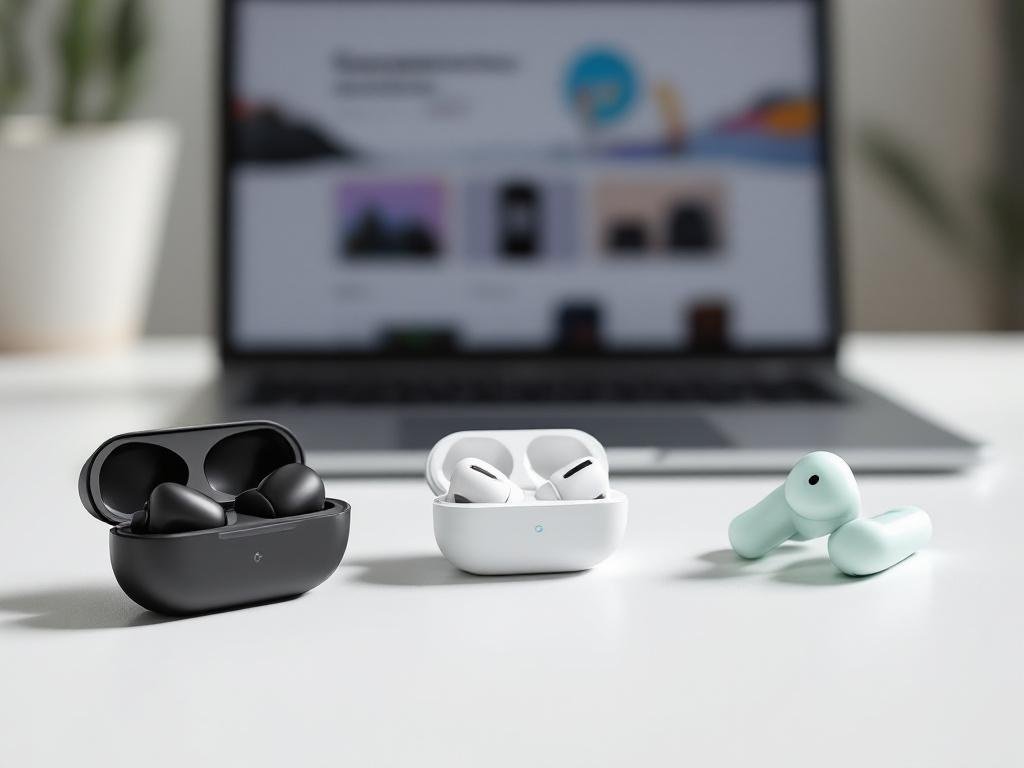
This article explores Google’s Pixel Buds lineup — from the mid-range Pixel Buds A-Series to the flagship Pixel Buds Pro — and the conversation around a potential Pro 2. You’ll get a clear comparison, a practical Pixel Buds A-series review framework, buying advice for Google Store shoppers, and tips to maximize sound, ANC, battery life, performance and warranty guidance.
Evolution of the Pixel Buds lineup and market positioning
Tracing the Pixel Buds lineage reveals Google’s evolving ambition within the wireless earbuds market—one that balances innovation with approachability. Since their debut, the Pixel Buds have shifted from a niche, Assistant-focused accessory to a mature product family competing at multiple price points.
- Timeline & Ecosystem Roles: The first-generation Pixel Buds (2017) brought real-time language translation and hands-free Google Assistant, but the wired neckband design and fit were divisive. The fully wireless Pixel Buds (2020) improved design and comfort but still faced tough competition. In 2021, the Pixel Buds A-Series introduced a lower price tier, targeting those seeking “Pixel Buds features” on a budget. The 2022 Pixel Buds Pro marked Google’s flagship answer—emphasizing ANC, long battery life, and advanced smarts. Rumors and leaks surrounding Pixel Buds Pro 2, Pixel Buds 2 Pro, and 2a variants suggest Google plans a more clearly stratified lineup in the near future.
- Lineup Positioning: Google positions the Pixel Buds A-Series as accessible, value-driven, and perfect for Android fans wanting essential features without paying for extras. The Pro line embodies a “flagship” ethos, competing with Apple AirPods Pro and Samsung Galaxy Buds Pro by integrating best-in-class features and seamless Google ecosystem tie-ins. This tiered approach mimics industry trends where mid-range buds offer core value (see “Pixel Buds A series features”) and higher-end models bring premium noise-cancelling, spatial audio, and multi-device pairing.
- Software & Ecosystem: Google Assistant integration is a baseline expectation—real-time translation, voice controls, and message readouts are central in every model. Quick Pair ensures easy setup, and consistent firmware updates enhance both security and functionality. Buying direct from the Google Store ensures timely support and eligibility for updates—important for those seeking to buy Pixel Buds for the long haul.
- Understanding Model Names: The expanding lineup introduces confusion: “Pixel Buds 2 Pro”, “Pixel Buds Pro 2”, and “Pixel Buds 2a” may refer to generational updates, feature splits (A for affordability, Pro for high-end), or both. Google’s nomenclature follows device trends—‘A’ denotes value, ‘Pro’ signals full features, while numerals indicate major hardware generations. Comparing “Pixel Buds 2a vs Pro 2” becomes vital for buyers weighing feature needs against price, especially in review-driven research like “Pixel Buds Pro review” or “Pixel Buds 2a review.”
The evolution of Pixel Buds reflects Google’s aim: seamless Android integration and choice at every budget. Understanding this historical context and naming logic empowers smart, frustration-free buying—whether you want flagship ANC or durable daily drivers from the Google Store.
What Pixel Buds Pro offers and why it matters
Pixel Buds Pro stand out as Google’s answer to users demanding top-tier features, real-world adaptability, and a truly premium audio experience. The core features begin with active noise cancellation (ANC), which uses custom-designed processors and sensors to mute distractions during travel or commutes. Equally important is the Transparency or Ambient mode, blending external sounds seamlessly when awareness is needed—great for navigating busy streets or holding quick conversations without removing the earbuds. Sound tuning leverages custom 11mm dynamic drivers and proprietary Google algorithms for a balanced, punchy profile. Adjustable EQ via the Pixel Buds app (cross-check specifications on the Google product page for the latest firmware abilities) lets users further refine bass, mids, and treble.
Design and comfort are central to daily wear. The rounded, low-profile housing minimizes ear fatigue, and multiple, soft silicone tip sizes aim for a stable seal. IPX4 water resistance (buds) means sweat and light rain pose no threat, crucial for runners or gym sessions. Matte finishes resist grime, while precision venting reduces “plugged ear” pressure, increasing comfort over prolonged use.
Battery and charging are areas where the Pixel Buds Pro excel in the flagship class. Google claims up to 7 hours of listening on a charge with ANC on (consult current official listings for changes), with the Qi wireless-compatible case extending total playback to about 20 hours. Fast charging provides roughly an hour of use from a short 5-minute charge, making them viable for day-long activities or travel.
Connectivity and smart features create a seamless experience. Fast Pair (Android) initiates setup almost instantly, while multipoint support allows simultaneous connection to two devices—ideal for toggling between laptop and phone. Google Assistant integration brings hands-free help, real-time translation, and notification readouts. Regular firmware updates via the Pixel Buds app ensure evolving features and bug fixes.
Use case analysis reveals the following real-world strengths and weaknesses:
- Travel/commuting: Excellent for blocking engine/office noise, but larger ears may notice mild pressure during very long sessions.
- Workouts: Secure fit plus sweat resistance, though very intense motion may dislodge them for some users.
- Work-from-home: Multipoint and noise reduction enhance productivity. Voice pickup in busy environments can be decent, but check Google’s updates for ongoing improvements.
Is Pixel Buds Pro right for you?
- Do you need top-tier ANC and transparency mode?
- Is multipoint connectivity a must?
- Is all-day comfort and water resistance essential?
- Will you make regular use of smart assistant features?
- Is flagship battery life worth the premium over A-Series price?
Evaluate these points before choosing between the Pro and mid-range Pixel Buds in the Google Store.
Pixel Buds A-Series explained and how to run a Pixel Buds 2a review
- Positioning and priority features — The Pixel Buds A-Series is Google’s entry-level true wireless earbuds line, designed for users prioritizing affordability, essential features, and a comfortable fit over premium extras. With the Pixel Buds 2a, expect reliable core audio, quick access to Google Assistant, and seamless Android pairing, but without features like active noise cancellation or wireless charging found in Pro models. Google aims to strike a balance between performance and price, keeping the design lightweight and universally comfortable for daily, all-day use—even for smaller ears.
- Review methodology — To accurately evaluate the Pixel Buds 2a, reviewers should perform:
- Sound signature tests using a range of tracks and genres, noting bass response, clarity, and any EQ customization in the app.
- Noise isolation evaluation (since ANC may not be present), by wearing the buds in varied noisy settings and quantifying passive noise attenuation.
- Latency checks for gaming and video streaming via side-by-side comparisons or using latency measurement tools if available.
- Battery rundown testing through consecutive listening sessions, documenting real-world endurance vs. Google’s stated figures (always cross-check with Google Store details).
- Speech/call quality assessments in quiet and noisy environments, including outdoor wind scenarios and crowded places.
- Comfort and fit evaluations across different ear shapes and extended wear times, noting ear fatigue or slippage.
- Data collection and presentation — Present results with transparency:
- Sound and EQ: Describe frequency balance (bassy, neutral, treble-heavy), note any app-based adjustments.
- Speech call test results: Summarize call clarity in multiple locations, mentioning background noise suppression effectiveness.
- Battery endurance table: List hours achieved (with/without case recharge) versus official specs for context.
- Comfort and fit summary: Gather feedback from several testers, including any long-wear issues.
- Example pros and cons lists:
- Pros
- Affordable price for Google ecosystem integration
- Secure, comfortable fit for most ears
- Quick pairing and Google Assistant access
- Cons
- No active noise cancellation
- Limited sound personalization
- No wireless charging option
Suggested headings: Pros, Cons, Sound and EQ, Call quality in real life, Battery results, Comfort in daily use, Verdict.
- Pros
Always verify any numeric claims with Google’s official documentation or the current Google Store product page before publication.
Comparing midrange and flagship choices and evaluating a potential Pro 2
- Comparison framework — When weighing Pixel Buds Pro, A-Series, or anticipating a “Pro 2” successor, start with a priorities checklist:
- Sound quality: Pro models often offer larger drivers, custom EQ, and broader codec support. Compare published specs with your preferred genres; A-Series typically targets balanced, crowd-pleasing sound.
- ANC performance: Active Noise Cancellation is reserved for Pro. In real-world conditions, test for low-frequency commute hum and office chatter suppression. Consider transparency/ambient modes and their naturalness.
- Battery life: Pro models can offer longer use due to larger cases, but check both bud-alone and combined case figures. A quick 15-minute charge test can clarify claims.
- Fit: Regardless of price tier, comfort and seal determine perceived sound and isolation. Pro has multi-size tips and pressure relief vents; try before committing if possible.
- Software features: Voice assistant integration, multipoint Bluetooth, Google Translate, and Find My Device integration—these tend to improve in flagship models or later releases. Compare app experience and update frequency.
- Warranty/support: Google Store purchases add simple returns, official warranty, and direct support. Pro lines may get longer software support cycles or priority feature rollouts.
- Price: List regular and promo prices. Factor in bundled offers, store trade-ins, or resale value.
- How to interpret a ‘Pro 2’ announcement — Next-gen Pixel Buds, often called “Pro 2,” usually promise:
- Marginal sound/ANC improvements and possibly LE Audio or increased water resistance.
- Improved battery efficiency, new features (auto recalibration, spatial audio, smarter multipoint), and subtle design tweaks.
- If reading rumor coverage: treat leaked renders, FCC filings, or feature claims with skepticism until confirmed—prioritize real specs and software changelogs over speculative “AI upgrades.”
- Practical decision scenarios —
- Choose A-Series (like 2a) for budget-driven buyers prioritizing basics and comfort over ANC/luxury extras.
- Buy Pro if you want ANC, multipoint, and deeper Google Assistant/context functions available today and don’t see rumored “Pro 2” features as essential for your use.
- Wait for Pro 2 if: you value early adopter upgrades (new audio codecs, smart case, or drastic new features) and your current earbuds suffice for now.
- Cost-per-feature analysis — Pro models command a premium, but if you actively use every feature (ANC, advanced controls), the per-feature cost drops. Consider:
- Resale value: Pro models tend to hold value better if lightly used and recent.
- Upgrade cycles: If you upgrade every 12–18 months, choosing A-Series now could make more sense unless steep Pro discounts are available.
Actionable buying guidance:
- Prioritize your daily-use features first; don’t pay extra for ANC if you rarely use it.
- If a Pro 2 release seems imminent and offers truly new features, hold off. Otherwise, look for price drops and bundles on the Google Store.
Sample comparison table outline:
- Model name
- Price (base/discounted)
- Sound signature/EQ support
- ANC/transparency modes
- Battery life (claimed vs. tested)
- Fit/comfort
- Bluetooth & special features
- Warranty/support period
- Resale value estimate
Buying from Google Store and getting the most from your Pixel Buds
- Where to buy: For Pixel Buds Pro, Pro 2, or 2a, the Google Store remains the most reliable option. You’ll get the latest models, official warranty coverage, and authentic accessories. Always verify the store listing for return policy length, regional warranty terms, and which accessories are included (like spare ear tips or charging cables). If considering retailers—such as Best Buy or authorized online sellers—ensure they are labeled as Google Authorized Resellers for warranty eligibility. Beware of price listings that seem abnormally low, as these may exclude accessories or be non-genuine products.
- Setup and first-use checklist: Start by fully charging your Pixel Buds using the supplied cable or a Qi-certified pad. For pairing, open the case and follow the pairing prompt on your Pixel or Android device (look for the Fast Pair pop-up). Manually check for a firmware update in the Pixel Buds app or device settings. Test fit with all included ear tip sizes—proper seal impacts ANC and sound quality. Run the built-in ear tip fit test if available. Try the default EQ, then experiment with the app’s sound presets for early calibration, focusing on comfort and clarity during real-world use.
- Maintenance and troubleshooting: Clean your Pixel Buds regularly with a dry, lint-free cloth and gently clear the ear tips. Charge only using approved accessories to preserve battery health—avoid leaving them plugged in 24/7. For connectivity hiccups or audio dropouts, try re-pairing or resetting the buds in the Google app. Persistent issues like uneven charging or unexplained disconnections? Contact Google support with your serial number and order info for a streamlined RMA process.
- Accessories and extras: Invest in a rugged or grippy silicone case to protect your buds’ case from drops. Third-party memory foam tips can improve comfort/fit for long listening sessions, especially if the stock tips don’t suit your ears. Get an extra USB-C or Qi-enabled charger for work/travel.
- SEO and content tips for sellers and reviewers: Use long-tail keywords like “Pixel Buds 2 Pro review,” “best EQ settings for Pixel Buds Pro 2,” or “Pixel Buds 2a vs Pro 2 battery.” Suggested meta titles: “Pixel Buds Pro 2 Real-World Guide” or “Compare Pixel Buds 2a and Pro Models.” Embed structured data for product reviews and FAQs to improve search visibility.
- Charge fully and pair with your primary device on day one.
- Run firmware updates and ear tip tests within the first 48 hours.
- Try at least two EQ presets for different music genres by the first week.
- Clean the buds after initial outdoor use and store in a protective case.
- Bookmark Google’s support and accessory pages for future reference.
Conclusions
Choosing between Pixel Buds variants depends on priorities: sound and ANC at the top of the list favor flagship models, while comfort, battery and price direct readers toward the A-Series. Use the provided review checklist, comparison criteria and Google Store buying tips to make an informed choice and to get the best performance from your Pixel Buds, now and as new models arrive.