

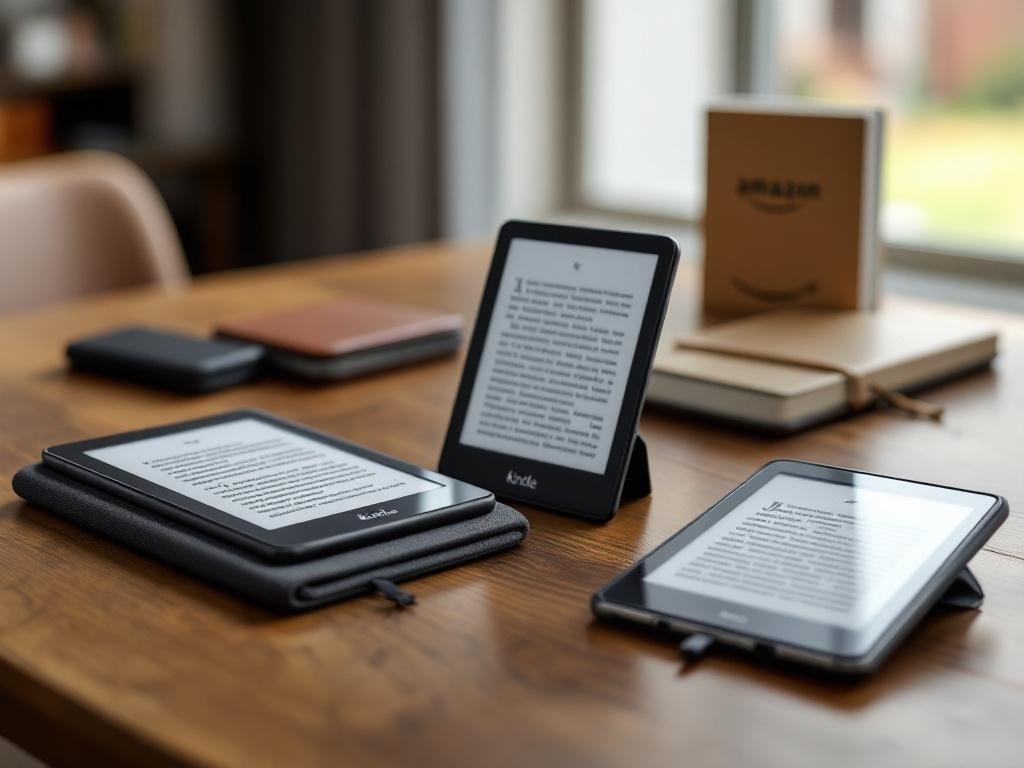
Choosing between the Kindle Paperwhite, the basic Kindle, and Signature variants requires understanding display, storage, battery, waterproofing and accessory needs. This guide walks through how Paperwhite differs from other Kindle models, reviews generations including the 11th and Signature Edition, compares sizes and cases, and gives actionable buying recommendations so you can pick the perfect Amazon Kindle in 2025.
How the Kindle Family Evolved and Where Paperwhite Fits
The Kindle story began with the original Kindle in 2007—a chunky e-reader with an e-ink display, side-mounted keyboard, and EVDO cellular connectivity for wireless book downloads. Over the years, Amazon’s focus has been relentless: making reading more convenient with every generation. Subsequent models got slimmer, traded physical buttons for touchscreens, and steadily improved screen clarity. Amazon introduced high-contrast Pearl and later Carta e-ink, adjustable front lighting, and eventually increased pixel density for a sharper, paper-like page look. Connectivity evolved too: early 3G and Wi-Fi models gave way to Wi-Fi-standard devices. Waterproofing, warm light temperature controls, and USB-C charging found their way into advanced models.
Today, the Kindle product family sits in clear tiers. At the base is the standard Kindle (sometimes just called “Amazon Kindle”): most affordable, smallest, with basic features and a modestly lit display. The Kindle Paperwhite sits in the middle, offering higher-res Carta e-ink screens, more even built-in lighting, and waterproofing. The Kindle Oasis (where available) is premium, with aluminum build, ergonomic grip, page-turn buttons, and auto-adjusting warm light. Signature Editions (notably the Kindle Paperwhite Signature Edition) layer premium touches on the Paperwhite—wireless charging, 32GB storage, light sensor for auto-brightness. Always verify exact details on Amazon or Wikipedia, as lineups vary by year.
The Paperwhite was designed to bridge affordability and premium experience. Compared to the basic Kindle, its screen is larger (6.8″ vs 6″), sharper (300 vs 167 ppi in recent generations), and more evenly lit with up to 17 LEDs—the result is much better contrast and less eye strain, especially in varied light. Paperwhite’s IPX8 rating means poolside or bathtub reading is stress-free. It’s aimed at avid readers who want comfort, durability, and top value without Oasis-level pricing.
Model differentiation centers on features and user priorities: basic Kindle for price-focused readers, Paperwhite for performance/comfort, Signature/Oasis for luxury. Accessories like genuine Kindle Paperwhite cases (magnetic, waterproof, or slim) accentuate this. When shopping, note Amazon’s naming: 11th Generation refers to models released after 2021; Signature Edition implies extras like wireless charging. Always cross-check release years and specs—an “Amazon Paperwhite 2025” may be a recent refresh or a new generation. This diligence ensures you’re comparing the right features for your needs.
Comparing Displays Storage Battery and Connectivity
- Display
- Size options: The classic basic Kindle (11th generation) features a 6-inch display, while the Kindle Paperwhite 11th gen and Signature Edition sport a 6.8-inch screen. This size boost results in fewer page turns and a more immersive reading experience.
- E-ink technology: All recent Kindles utilize E Ink Carta, but Paperwhite models employ better contrast and faster refresh rates. The difference is clear in rapid page turns and crispness of text.
- Resolution: The latest Paperwhite and Signature Edition deliver 300 ppi, delivering much sharper text than the 167 ppi of entry-level Kindles. This translates into a “printed page” feel, especially for those who read small fonts or PDFs.
- Front light vs warm light: The Paperwhite’s adjustable warm light (and auto-adjust on Signature) allows tailored comfort for nighttime reading; the basic Kindle features only a standard white front light, with less even distribution and no warmth control.
- Outdoor readability: All Kindles excel in sunlight, but Paperwhite’s flush-front design and higher LED count reduce glare even further.
- Pros: Paperwhite—better comfort, flexibility, sharper text. Basic Kindle—lighter, less costly.
- Cons: Basic—lower resolution, less lighting control. Paperwhite—slightly heavier, larger size.
- Storage
- Common options: Basic Kindle offers 16GB; Paperwhite comes with 8GB or 16GB; Signature Edition jumps to 32GB. Some rare “Kids” or international models may differ.
- Practical advice: 8GB stores thousands of books, but only a few graphic-heavy PDFs or hundreds of Audible audiobooks. Audiobook users or heavy PDF readers benefit from higher capacities—16GB or 32GB is ideal.
- Pros: More storage avoids frequent management for large files.
- Cons: Signature’s 32GB is only needed for big audio libraries or comics; most users are fine with 8–16GB.
- Battery and charging
- All new Kindles promise weeks of battery life. The Paperwhite and Signature show modest real-world improvements due to power-saving chips and LEDs.
- Charging Ports: 11th-gen and later Kindles now sport USB-C, replacing the micro-USB of older generations, leading to faster, more convenient charging.
- Signature Edition advantage: Wireless Qi charging—unique in the Kindle lineup. Useful for desk or bedside use, if you already use wireless pads elsewhere.
- Pros: USB-C and wireless (Signature) greatly enhance daily convenience.
- Cons: Older cases may not fit newer ports; wireless charging isn’t essential for most.
- Connectivity
- Wi-Fi only vs Cellular: Cellular (3G/4G/LTE) has mostly vanished from recent Kindles; current models are primarily Wi-Fi only, lowering costs and simplifying purchases.
- Bluetooth: All models support Bluetooth for Audible audiobook headphones/speakers; only Paperwhite and above have enough storage for serious audiobook fans.
- Buying tip: If you need instant book delivery everywhere, consider a used earlier-generation cellular Kindle. Otherwise, Wi-Fi suffices for nearly all use cases.
- Pros: Wi-Fi is more affordable; Bluetooth is a must for audio fans.
- Cons: No current-gen Kindle offers both cellular and large storage; weigh this if you travel heavily or listen to many audiobooks.
Generations and Special Editions including 11th generation and Signature
- Recent Paperwhite Generations Timeline: The evolution of Paperwhite models reveals Amazon’s steady push towards a more premium reading experience. The 10th generation (2018) brought a flush-front screen, slimmer profile, and IPX8 waterproofing. The big leap arrived with the 11th generation (released late 2021 and available as of 2024–2025): screen size moved from 6″ to 6.8″, border bezels shrank for a more immersive look, and LEDs increased dramatically to 17, enabling smoother warm light control. USB-C replaced micro-USB for faster, more universal charging. No 2024–2025 “12th gen” Paperwhite release has appeared at time of writing; check Wikipedia and Amazon specifications for last-minute updates if shopping.
- Signature Edition Distinctions: The Signature Edition takes the 11th-gen Paperwhite further with these standouts:
- Storage: 32GB vs the standard’s 8GB or 16GB. Major for audiobook hoarders and comic, manga, or graphic novel users.
- Wireless Charging: Qi compatibility allows dock or pad charging—handy for desk stand users.
- Automatic Front Light Adjustment: Ambient sensor smoothly shifts screen warmth and brightness for comfort, rare in e-readers outside premium tier.
- No Ads Option Only: Signature ships ad-free by default, avoiding lockscreen advertisements that are common on base models.
In real world use, these features shine for power users, night readers, or anyone multitasking through large libraries and diverse content types.
- Signature Pricing and Deal Strategy: Amazon positions Signature Edition as a mid-premium step above the standard Paperwhite, with typical retail $30–$50 higher. Watch for Prime Day and Black Friday, when both Paperwhite and Signature see rare matches or steep discounts—Signature’s extras can be worth it when prices close. Always re-check Amazon and major retailer listings for flash deals.
- How to Verify Paperwhite Generations and Editions: With several models active in resale channels, confirm before purchasing:
- Model number: Check device Settings > Device Info or packaging and match the alphanumeric ID (e.g., M2L3EK, PQ94WIF) with lists on Wikipedia or Amazon’s official help pages.
- Firmware and device setting menus: Show device generation and storage tier.
- Exterior cues: 6.8″ screen and USB-C port are only on 11th-gen. Signature’s auto-light is a giveaway if demoed in-store.
- Release notes: Amazon’s product detail pages and Wikipedia’s Kindle timeline are reliable for feature cross-checking prior to purchase.
For upgraders: If you own a 10th-gen or earlier, the 11th-gen’s bigger/better display, warmth, and USB-C are significant. Signature is only essential if you need max storage, wireless charging, or always-on ambient light—otherwise, the standard 11th-gen Paperwhite remains the best value for most.
Size Cases and Accessories How to Protect and Personalize Your Kindle
- Size and weight greatly influence how a Kindle fits your reading style. The standard Kindle is typically 6″ and exceptionally lightweight, ideal for on-the-go readers, commuters, or those with small hands wanting true pocketability. The Kindle Paperwhite 11th generation (including Signature Edition) sports a 6.8″ display, slightly heavier and taller but offering more immersive reading for eyes that tire easily. Its larger bezel area makes it easier to grip single-handedly for a longer time, yet it might not fit in smaller bags or jacket pockets. Consider how you usually carry your Kindle: the larger Paperwhite models are best for readers prioritizing bigger text and page space, while the classic Kindle fits any travel routine.
- Case types span folio covers (offering front and back protection, sometimes with stand functions), slim snap-on shells trade bulk for a minimalist feel, magnetic sleep covers (allowing auto wake/sleep and quick access), and rugged sleeves made of impact-resistant materials like silicone or reinforced fabric for maximum drop defense. Leather cases bring a premium touch but add weight, while fabric is lighter and grippier. Prioritize edge protection, secure magnetic flaps, and a lined interior. Auto-sleep magnets are a must for battery convenience. Bulkier, rugged cases are ideal for travel or households with kids, but svelte covers can highlight the e-reader’s portability.
- Compatibility is critical. Always match the case to your device’s generation—an 11th gen Paperwhite won’t fit older covers due to slight size and port changes (e.g., USB-C). For the Paperwhite Signature Edition, check for wireless charging support; some cases are too thick for Qi pads. Cross-verify model numbers (printed on the device or box) with Amazon listings or SKU on the manufacturer’s website. Read Q&A and customer images in product reviews to verify fit, as even Amazon’s search can mix generations.
- Other accessories enhance everyday use: tempered glass screen protectors add scratch safety, wireless charging docks are uniquely handy for Signature Edition, and travel pouches or waterproof sleeves protect your Kindle at the pool or beach. Clip-on reading lights are rarely needed with the latest bright, adjustable screens, but available for older Kindles. Styluses are seldom useful unless you annotate PDFs, but can be fun for power users.
- Best-buying advice: Search established brands (MoKo, Fintie, Amazon’s own covers) in the $15–$40 range; too-cheap cases often fit poorly or block buttons/charging. Deeply review user comments for evidence of real-world durability and compatibility, especially regarding wireless charging and magnet strength. Always consult the current Amazon product page for confirmed fit and new accessory trends before purchase.
Which Kindle Is Best for Different Readers and Final Buying Checklist
- Persona-based recommendations:
- Casual reader on a budget: The classic Kindle 11th generation offers sharp text on a 6” glare-free screen, adjustable front light, and compact size—an ideal choice under $100. With 16GB storage (2025 refresh), it covers hundreds of ebooks. Opt for this if you read a few books a year mainly at home and don’t need extras like waterproofing.
- Voracious reader wanting waterproofing: The Kindle Paperwhite (11th Gen) is hard to beat: a 6.8” 300ppi display, IPX8 water resistance, and warm light adjustable for night reading. Its battery often lasts 10 weeks, making it perfect for travelers or beach readers. Choose the Paperwhite if you read daily and value a larger screen with crisp, eye-friendly fonts.
- Audiobook listener or multitasker: All 2025 models support Audible via Bluetooth, but Paperwhite’s extra battery life gives it the edge for audio. If audiobooks are a priority, ensure you pick a model with at least 16GB so you can store titles offline.
- Commuter/casual reader who needs pocketability: The Kindle 11th generation remains Amazon’s lightest and most compact, slipping easily into tight spaces yet offering excellent contrast and page turns. Ideal for on-the-go convenience.
- Power user or gadget lover: The Kindle Paperwhite Signature Edition stands out for wireless Qi charging, auto-brightness, and a generous 32GB of storage. This is the Paperwhite for heavy annotators, manga fans, or anyone desiring full-featured e-reading in 2025.
- Comparison Snapshots:
- Best Kindle Paperwhite: Paperwhite 11th Gen (2025 model) — balances price, 6.8” screen, warm light, waterproofing, and long battery life.
- Best overall Kindle: Paperwhite (2025) — most universally appealing blend of features, screen, and value, suitable for most users.
- Best value Kindle: Kindle 11th Generation — trimmed feature set, smallest size, but unbeatable affordability and simplicity.
- Best premium Kindle (Signature): Kindle Paperwhite Signature Edition — for wireless charging, auto-brightness, double the storage. Worth it for tech enthusiasts or anyone needing extra space for PDFs, audiobooks, and comics.
- Buying Checklist for Amazon Kindle 2025:
- Check model generation and year (should be 2025 latest release for best firmware support).
- Assess storage needs: 8GB for occasional reading, 16–32GB for audiobooks or manga.
- Confirm connectivity (Wi-Fi is standard; cellular discontinued on most).
- Verify warranty/return policy—look for Amazon’s 1-year warranty and 30-day return window.
- Only buy from Amazon or verified sellers.
- Ensure case compatibility by matching listed model and year; cross-check SKUs or “Fits this Kindle” on the Amazon page.
- Track prices with tools/extensions or wait for Prime Day, Cyber Monday, or back-to-school sales for the best discounts.
- Final tips:
- Purchase directly from Amazon or trusted partners for genuine products and hassle-free returns.
- On setup, check for firmware updates via Wi-Fi for new features and fixes.
- Personalize your Kindle: Adjust font size, warmth, and margin under reading settings; pair Bluetooth headphones for Audible (on Paperwhite and higher).
- Consider Amazon’s trade-in program for discounts on newer models or resell older Kindles securely via Amazon Renewed.
Conclusions
The best Kindle depends on your reading habits: choose a Paperwhite for a high-resolution, waterproof reading experience; consider the Signature Edition if you want extra storage and wireless charging; pick the basic Kindle for value. Match size and case to portability and comfort. Use the spec checklist and buying tips in this guide to make a confident Amazon purchase in 2025.